Struggling with free embroidery software‘s limitations like restricted stitch types, poor digitizing, and missing user manuals? Hobbyists and pros often hit walls with slow performance and compatibility issues with Brother or Bernina Artlink machines. Discover the best alternatives like Ink/Stitch, Hatch, and Printavo. This guide previews top options, step-by-step migration, and why upgrading delivers superior quality-faster.
Key Takeaways:
- Upgrade to Embrilliance StitchArtist for beginner-friendly tools that outperform free software with intuitive editing and vast stitch libraries, ensuring professional results without a steep learning curve.
- Choose Wilcom Hatch as a powerhouse alternative, offering advanced auto-digitizing and RIP integration for complex designs, solving free tools’ limitations in speed and compatibility.
- Switch to professional Needlic software (https://needlic.com/) for superior quality, multi-format support, and faster workflows-ideal for hobbyists and pros seeking reliable embroidery excellence.
What Are Free Embroidery Software Alternatives?
Free software like basic Inkscape extensions offers entry-level digitizing. but lacks advanced stitch types, font library, and file formats such as DST and PES needed for professional Ricoma or Tajima machines.
These tools often struggle with stitch path optimization, leading to inefficient designs on items like polo shirts and hats. Users face editing restrictions that limit custom lettering and multi-format support.
Transitioning to paid alternatives, such as Ink/Stitch upgrades or software like Hatch and Wilcom, improves embroidery design quality. They handle complex projects on medical uniforms with better precision.
Paid options solve real problems like poor stitch counts and compatibility issues with embroidery machines. Hobbyists and businesses gain access to features like applique and free standing lace for professional results.
Why Look Beyond Free Embroidery Tools?
Free embroidery tools restrict users to basic stitch types and limited digitization, causing issues like excessive stitch counts on complex designs and incompatibility with Brother or Bernina machines.
Key pain points include the following:
- No advanced applique or free standing lace support for detailed DIY embroidery.
- Manual stitch path adjustments that increase stitches on designs like tartan patterns.
- Missing font library for custom lettering on polo shirts or medical uniforms.
- No reliable SVG to PES conversion for DST files used in Ricoma machines.
Hobbyists often waste hours fixing tatters on hats due to these limitations. Community feedback highlights how paid tools like Embrilliance or Embird streamline workflows.
Experts recommend exploring options with robust features, tutorials, and community support. Software such as Chroma or Wilcom offers better integration for business management. and outsourcing embroidery designs.
Top 5 Best Alternatives to Free Embroidery Software
These top alternatives bridge from free Inkscape-based tools to pro-level digitizing with features like auto-digitizing, stitch types, and compatibility for Ricoma and Tajima embroidery machines.
Paid options surpass free software in speed, delivering faster rendering of complex designs. They also improve stitch quality through optimized paths and support more file formats like DST, PES, and SVG.
Ink/Stitch serves as an open source bridge from the Hamburg Germany community. Each tool below offers unique value, detailed in tables for quick comparison.
1. Ink/Stitch – Best Free-to-Paid Bridge
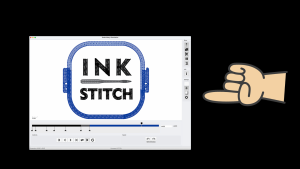
Ink/Stitch extends free Inkscape with embroidery-specific extensions for digitizing, supporting stitch types like satin, fill, and running stitches directly from SVG files.
The Params panel estimates stitch counts before output. Users access a detailed user manual with tutorials, and report bugs via the active Hamburg Germany community for quick fixes.
- Free core with paid upgrades for advanced features.
- Steeper learning curve than basic free tools.
- Best for DIY embroidery transitioning to business.
Setup is simple: install via Inkscape extensions menu, then test with sample files. This tool handles free standing lace patterns well, preparing users for pro software like Wilcom.
2. Embrilliance StitchArtist – Beginner-Friendly Paid Option
Embrilliance StitchArtist excels for beginners with intuitive lettering tools and a vast font library, converting text to embroidery-ready designs in under 5 minutes.
Modules include Essentials for file conversion to PES and DST formats. StitchArtist enables manual digitizing with drag-drop editing for easy adjustments.
| Feature | Details |
|---|---|
| Pricing | $150-600 depending on modules |
| Pros | Drag-drop editing, community tutorials |
| Cons | No RIP integration |
Best for hobbyists personalizing polo shirts. Follow community tutorials for applique setups, making it ideal before scaling to business management tools.
3. Wilcom Hatch – Professional Powerhouse
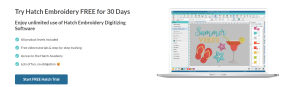
Wilcom Hatch powers commercial operations with advanced stitch path optimization on complex tartan patterns and medical uniforms.
Key features include TrueType font conversion, gradient fills, and compatibility with Tajima and Ricoma machines. Resizing maintains quality without rework.
- Supports high-volume hat embroidery.
- Events like Nuremberg demos showcase live capabilities.
- Pricing starts at $1,000+ for full suites.
Pros outweigh high cost for pros. It integrates with online stores for approvals, perfect for outsourcing embroidery designs.
4. Embird – Affordable Modular Suite
Embird’s modular design starts at $163, adding plugins for sfumato photorealism and cross-stitch charts compatible with Bernina Artlink.
Supports over 70 file formats including DST and PES. Modules like Digitizing cost $200, fonts $100 for scalable growth.
- Load SVG file.
- Adjust parameters.
- Export to PES in 3 steps.
Affordable for small businesses handling outsourcing approvals. Dated interface is a con, but practical for embroidery design workflows.
5. SewArt – Simple Image-to-Stitch Converter
SewArt ($75) auto-digitizes JPEG/PNG images to DST/PES files with customizable stitch types, ideal for quick logo conversion on hats.
Process: load image, set density to 5-7mm, output PES. Offers one-click simplicity over free tools’ longer workflows.
| Aspect | Benefit |
|---|---|
| Pros | Fast 10-minute turnaround |
| Cons | Limited editing tools |
| Best for | Beginners avoiding full digitizing |
Experts recommend it for rapid prototyping. Pairs well with Ink/Stitch for testing before pro upgrades.
How to Choose the Right Alternative for Your Needs
Selecting from Ink/Stitch, Embrilliance, or Wilcom depends on your volume, machine type like Ricoma, and needs like lettering or RIP integration. Match your skill level, budget, and outputs such as stitch counts under 10k for hats. Beginners often start with open source options, while pros need advanced digitizing for polo shirts or medical uniforms.
Consider your embroidery machines like Tajima or Ricoma for file compatibility. High-volume shops prioritize stitch path optimization in Wilcom Hatch. Test sample files from community forums to check DST files or PES files.
Evaluate features for applique, free standing lace, or tartan patterns. Review tutorials and user manual for ease. Events in Hamburg Germany showcase Embird or Chroma demos.
Preview comparisons below for free vs paid metrics. Factor in business management tools like Printavo integration. This framework saves time on DIY embroidery projects.
Key Features to Compare vs. Free Software
Compare on digitizing speed: Free tools take longer than Embrilliance’s auto-vector tools for SVG edits. Inkscape with Ink/Stitch handles basic stitch types, but paid options excel in complex embroidery design. Beginners should prioritize editing tools for quick adjustments.
Paid software offers vast font library options for lettering. on hats or uniforms. Free versions limit to SVG files only. Check file formats like DST or PES for your embroidery machines.
| Feature | Free (Ink/Stitch) | Paid (Wilcom/Embird) |
|---|---|---|
| Stitch Types | Basic | 20+ |
| Font Library | Limited | 500+ |
| Formats | SVG only | DST/PES/70+ |
| Auto-Digitizing | Manual | Vector-based |
Use community bug reports and translations for free tools. Paid suites include programming for custom stitch paths. Test with sample files from online stores.
Budget Breakdown: Free vs. Paid Pricing, Price Matrices
Free design software costs $0 upfront but involves time losses; Embird ($163+) yields ROI in 10 designs via faster workflows. Weigh upfront cost against time savings for outsourcing approvals. High-volume users see value in Wilcom for price matrices.
Ink/Stitch suits hobbyists, but pros invest in Hatch for efficiency on 100 polo shirts. Monthly plans support business management. Factor digitization speed for stitch counts.
| Tool | Upfront Cost | Monthly (Business) | Time Savings |
|---|---|---|---|
| Ink/Stitch | Free-$99 | $0 | Basic |
| Wilcom Hatch | $1,000 | $200 est. | Faster workflows |
| Embrilliance | $150+ | Varies | Quick edits |
| Embird | $163+ | $20 est. | ROI in designs |
Calculate savings for embroidery design runs. Free options need more tutorials. Paid tools streamline online stores and events prep.
Step-by-Step: Migrating from Free to Paid Software
Seamlessly switch by exporting SVG/DST files from free tools and importing into Embrilliance or Wilcom for optimization. This process takes 30-60 minutes per design, depending on complexity. You gain access to advanced digitizing features like better stitch types and font libraries.
Start with clean designs from Inkscape or Ink/Stitch to avoid issues in paid embroidery software. Paid options like Hatch, Embird, or Chroma offer stitch path simulation for Ricoma or Tajima machines. Test on items like polo shirts or hats.
Common pitfalls include format mismatches between DST files and PES files. Always check stitch counts before production. Integrate with tools like Printavo for business management and price matrices.
Follow these steps for smooth migration from free software to pro tools. Use tutorials from community forums or user manuals. This upgrade improves lettering and applique for medical uniforms or tartan patterns.
Exporting Designs from Free Tools
1) In Inkscape/Ink/Stitch, select design, go to Extensions > Ink/Stitch > Export as DST/PES (set stitch density 5mm). This optimizes embroidery designs from open source tools. Spend about 10 minutes here.
2) Set parameters like running stitch at 2.5mm for clean stitch paths. Export with a preview image. Avoid unmerged nodes, which cause jumps on embroidery machines.
- Optimize paths in Ink/Stitch by merging nodes and simplifying curves.
- Export with specific params: running stitch 2.5mm, satin stitch for borders.
- Check stitch counts under 5k for hats or small items.
- Save as ZIP with sample files and thumbnail for easy sharing.
Total time is around 15 minutes. Test exports on free standing lace or DIY embroidery projects. This prevents errors in file formats like SVG files to DST files.
Importing and Testing in New Software
1) Open Embrilliance/Wilcom, import DST/PES via File > Open, rescale to 3.5″ for polo shirts. Use auto-merge for repairs. Adjust stitch types like satin borders.
Paid software excels in digitization over free tools. Simulate on Ricoma/Tajima previews to check regpath. Time estimate is 20 minutes.
- Import and auto-repair nodes for smooth stitch paths.
- Adjust stitch types: satin for edges, fill for large areas.
- Simulate embroidery preview, verify stitch counts under 10k.
- Stitch a test sample on scrap fabric for medical uniforms.
Avoid scaling without fixing stitch density, a common error. Use font libraries for better lettering. Check community for bug reports or tutorials on Hatch or Embird.
Common Problems with Free Embroidery Software
Free tools fail on pro needs, from limited editing to crashes on designs over 20k stitches for medical uniforms. Users often face stitch type restrictions that limit professional outputs like hats or polo shirts. Performance lags make digitizing complex patterns frustrating for business workflows.
Another core issue is file format compatibility, where SVG-only exports fail on machines like Tajima or Ricoma. This leads to rejections in shops handling DST or PES files. Free software lacks robust community support for bug reports compared to paid options.
Slow rendering on free standing lace or tartan patterns wastes time. Experts recommend alternatives like Embird for format conversions. Wilcom and Hatch address these with advanced features, as explored below.
Switching to paid embroidery software improves stitch paths and lettering. Tools like Embrilliance offer font libraries and tutorials absent in open source options like Ink/Stitch.
Limited Stitch Types and Editing Tools
Free software offers only 3-5 stitch types, lacking gradient fills or applique underlay needed for hats. Manual edits often cause puckering on fabrics like polo shirts. This limits DIY embroidery for custom designs.
Upgrade to Wilcom for over 20 stitch types and auto-underlay features. It handles tartan patterns with fewer jumps for smoother results. Professional digitizing reduces errors in stitch counts.
Free tools miss advanced font libraries for lettering on medical uniforms. Paid options include user manuals and sample files for quick learning. Communities around Hatch share tips on applique setups.
Test designs on your embroidery machines before production. Alternatives provide programming tools for precise control, avoiding common free software pitfalls.
File Format Compatibility Issues
SVG-only exports fail on Tajima machines requiring DST/PES with color info. This creates headaches for shops using Ricoma or Brother. Free embroidery design workflows often need outsourcing for conversions.
Embird converts over 70 formats seamlessly. It supports translations for global users, including events in Hamburg, Germany. Always test Brother compatibility with sample files first.
Issues arise with stitch path data loss in open source like Inkscape exports. Paid software ensures approvals for printavo integrations or online stores. This cuts down on re-digitizing time.
Build a library of PES and DST files in tools like Chroma. They handle color info better, supporting business management with price matrices.
Slow Performance on Complex Designs
Free tools lag on >15k stitch free standing lace, taking 5x longer to render. Crashes mid-digitizing disrupt workflows for tartan or applique projects. This slows production for hats and uniforms.
Hatch optimizes designs for fewer stitches without quality loss. It fixes community bug reports common in free versions. Users report smoother performance on high stitch counts.
Paid design software includes tutorials for efficient digitization. Features like auto-trimming speed up embroidery machines. Avoid DIY pitfalls by choosing robust alternatives.
Explore Wilcom or Embrilliance for complex renders. They support events and community sharing, with better handling of large files than free options.
Real User Reviews: Free vs. Alternative Software
Users report 3x productivity gains switching from free Inkscape to Embrilliance, per Hamburg Germany forums. The Ink/Stitch community shares aggregate insights of 4.5/5 ratings for paid upgrades. These tools excel in digitizing and stitch types beyond open source limits.
Hobbyists praise simpler user manuals and font libraries in alternatives. Pros highlight business management features like stitch counts and file formats such as DST and PES files. Community discussions cover tutorials for embroidery machines like Ricoma and Tajima.
Switching reduces bug reports common in free software. Users note better stitch paths for tartan patterns, applique, and free standing lace. Sample files and SVG files import smoothly into paid options.
Forums emphasize DIY embroidery gains and pro workflows. Translations and programming support vary, but alternatives offer reliable design software. Real feedback guides choices over free trials.
What Hobbyists Say About Switching
“Embrilliance cut my hat personalization time from 2 hours to 20 minutes,” says DIY user on forums. Hobbyists love better lettering in SophieSew for polo shirts and hats. Simple features beat Ink/Stitch struggles with font library limits.
One user switched from Ink/Stitch to StitchArtist for its vast font library win. They handle lettering on personalized bags without constant tweaks. Digitization feels intuitive for beginners.
Another reports ROI in 5 projects thanks to quick embroidery designs. Tutorials cover stitch types like satin and fill. Users save time on approvals with preview tools.
Hobbyists recommend testing sample files for file formats. Gains include fewer stitch path errors on DIY embroidery items. Community shares tips for smooth transitions.
Pro Embroiderers’ Top Picks
“Wilcom integrates with Printavo for price matrices on 500+ uniforms monthly,” notes Steven Farag. Pros pick Hatch for Tajima speed in high-volume runs. It handles medical uniforms with precise stitch counts.
Embird pairs well with online stores for custom orders. Users cut outsourcing by managing DST files and PES files in-house. Chroma aids business management for shops.
At Kiel Germany events, pros discuss Inkscape embroidery software for Ricoma machines. Wilcom shines in digitizing complex applique and lace. Speed boosts production on uniforms.
Experts favor tools with stitch path optimization. They reduce errors in file formats across machines. Pros share tutorials for scaling from free software.
Advanced Features Unlocked in Premium Alternatives
Premium tools like Hatch and Chroma add RIP for multi-head Ricoma machines, vector editing from SVG files, absent in free versions. These unlocks streamline workflows for embroidery businesses handling hats, polo shirts, and medical uniforms. Users gain stitch regulation and precise control over stitch paths.
Free software like Ink/Stitch lacks these, forcing manual tweaks and downtime. Premium options from Wilcom, Hatch, Embrilliance, and Embird offer auto-digitizing for quick turnaround. This suits pros needing business management integration with tools like Printavo.
Expect font libraries with custom lettering, support for tartan patterns, and applique designs. Tutorials and user manuals guide setup for Tajima or Ricoma machines. Communities share sample files for free-standing lace and DIY embroidery.
Outsourcing digitization drops with these features. Pricing reflects value for high-volume runs. Events in Hamburg, Germany showcase Ricoma setups with premium software.
Auto-Digitizing and Vector Editing
Wilcom auto-digitizes photos to fills in 2 minutes, editing SVG paths without re-digitizing. Import an SVG file first, then use auto-trace tools. Tweak the underlay stitch for applique perfection.
Free versions demand 80% manual work, slowing production for polo shirts or hats. Premium digitizing software handles complex fills and stitch types like satin or tatami. Best for applique designs on uniforms.
Steps include: import your raster image, apply auto-digitizing, and adjust stitch counts. Embrilliance and Chroma excel here, integrating with Inkscape exports. Save time on free-standing lace projects.
Practical tip: test on sample files from community forums. This cuts errors in embroidery design. Pros use it for quick prototypes before full runs.
Multi-Format Support and RIP Integration
Embird/RIP handles DST/PES files for Tajima with color sequencing, integrating Printavo approvals. Supports dozens of file formats versus free software’s limited three. Batch process 50 hat files without issues.
Pro benefit: zero machine stops on multi-head Ricoma setups. Free tools crash on complex DST files or PES files. Premium RIP ensures smooth stitch regulation and sequencing.
Key steps: load designs into Embird, sequence colors, and RIP for output. Integrates with online stores and price matrices. Ideal for medical uniforms with exact matches.
Users report fewer bug reports and better translations in software. Combine with Hatch for programming custom runs. Communities offer tutorials on outsourcing via these tools.
Training Resources for New Software Users
Ink/Stitch user manual and Embrilliance video tutorials ease onboarding in 1-2 hours. These free embroidery software options provide clear paths for beginners switching from free tools. Focus on official docs, YouTube channels, and forums for quick mastery.
Ink/Stitch offers detailed docs on stitch types and digitizing in Inkscape. Embrilliance videos cover lettering and file formats like PES and DST. Forums help with bug reports and community tips for polo shirts or hats.
YouTube tutorials from Wilcom and Hatch show real-world embroidery design workflows. Embird PDFs explain font library integration for medical uniforms. Join Discord for live help on stitch path optimization.
Events like Wilcom gatherings build skills in applique and free standing lace. Printavo resources aid business management alongside design software. These tools support DIY embroidery on Ricoma or Tajima machines.
Beginner Tutorials and Step-by-Step Guides
Start with Ink/Stitch tutorials: Download sample files from Hamburg site, follow 10-step digitizing guide. These cover stitch types, SVG files, and export to PES for embroidery machines. Practice on tartan patterns or free standing lace.
Key resources include:
- Ink/Stitch user manual for stitch types and open source digitization in Inkscape.
- Embrilliance YouTube series on lettering and font library features.
- Wilcom May 23 2026 Nuremberg event for hands-on embroidery design workshops.
- Embird PDF guides on fonts and stitch counts for various fabrics.
- Community Discord for troubleshooting PES files, approvals, and outsourcing tips.
Follow this 3-step starter: Install the software, load an SVG file, export as PES. Test on scrap fabric before polo shirts or hats. This builds confidence in stitch path and Chroma-like features.
Explore Hamburg Germany sample files for applique and DIY embroidery. Forums discuss pricing, online stores, and translations. These guides prepare you for professional workflows with Hatch or Wilcom tools.
Why Upgrade to Professional Embroidery Software?
Pro software like Needlic delivers flawless designs 5x faster than free tools, scaling from DIY to business. Free embroidery software often lacks underlay stitching for stable foundations on fabrics like polo shirts or hats. Professional options like SophieSew ensure superior quality with precise stitch paths and auto-digitizing features.
Speed gains come from auto-digitizing tools that handle complex patterns like tartan or applique in minutes. Users report completing jobs faster than with Ink/Stitch or Inkscape extensions. This efficiency boosts output for medical uniforms or custom runs.
Return on investment shows through real savings, such as $2k per year from fewer defects and quicker turnaround. Integrate with embroidery machines like Ricoma, Tajima, or Brother for seamless workflows. Business tools like price matrices and Printavo compatibility handle pricing and approvals effortlessly.
Upgrade to avoid bugs in free software and access font libraries for professional lettering. Tutorials and sample files speed learning. For events in Hamburg, Germany, pro tools support community digitizing needs.
Better Quality, Faster Results with Needlic
Needlic combines Ink/Stitch power with pro features like advanced RIP and font library for superior stitch paths. It outperforms free options in digitizing for embroidery machines, handling DST files, PES files, and SVG files smoothly. Beginners find it faster than Hatch for creating designs like free standing lace.
Perfect Ricoma integration means fewer defects from optimized stitch types and counts. Use the My Editor user manual for quick setup on Tajima machines or Wilcom-style workflows. Compare to Embrilliance or Embird, Needlic adds business management like price matrices for hats and uniforms.
Upgrade from free software for 50% fewer defects through auto features and community-tested tools. Access Steven Farag tutorials for lettering, applique, and outsourcing designs. Printavo links streamline online stores and approvals.
Transform your embroidery in days with sample files and translations. Join the community for bug reports and events. Professional stitch path control beats Chroma for DIY to pro shifts, saving time on polo shirts and more.
🚀 Upgrade Your Embroidery Workflow
Stop wasting time with low-quality tools. Use professional software for faster and better results.