Struggling with free embroidery software that delivers poor stitch quality and limits your designs? You’re not alone-many hobbyists waste hours on frustrating limitations in digitizing and editing.
This guide compares free tools to paid options like Wilcom Hatch, Brother PE-Design, and Embrilliance Essentials, revealing if paid embroidery software is worth it for professional results.
Discover step-by-step benefits, costs, and ROI to upgrade confidently.
Key Takeaways:
- Paid embroidery software delivers superior stitch quality and advanced editing tools, eliminating common free software issues like distortion and limited features for professional results.
- Investing in premium tools boosts production speed and reduces errors, offering hidden savings that quickly offset costs through faster project turnaround.
- With free trials and intuitive onboarding, beginners can easily upgrade from free tools to paid software like those at needlic.com for pro-level embroidery efficiency.
What Is Paid Embroidery Software?
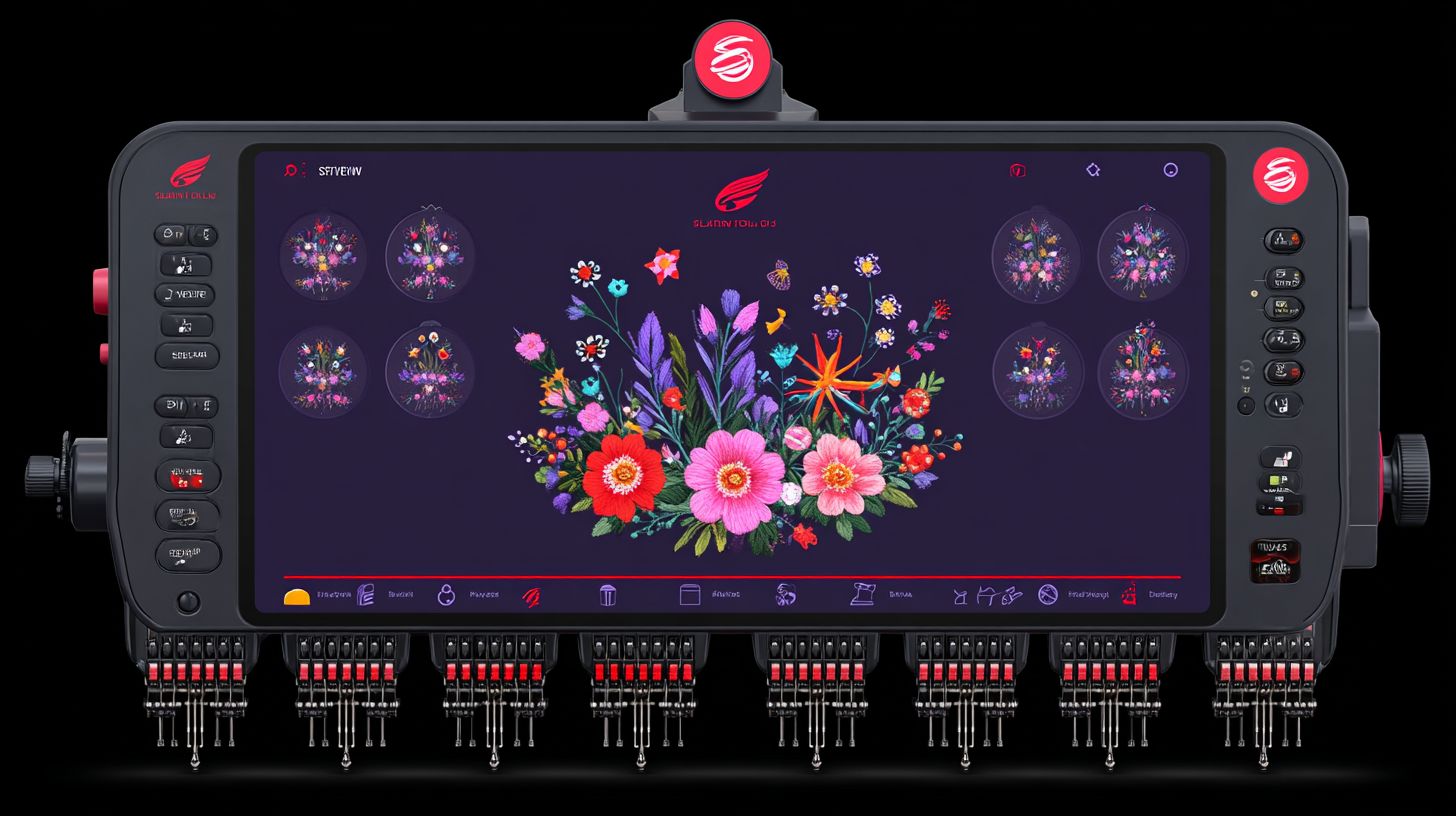
Paid embroidery software refers to professional-grade applications like Wilcom Hatch and Embrilliance StitchArtist that convert artwork into machine-readable stitch files with advanced digitizing, editing, and compatibility for machines like Brother and Janome.
These tools go beyond free options such as Ink/Stitch or SewArt by offering auto-digitizing wizards and extensive font libraries. Users create complex designs with precise control over stitching patterns and fabric previews.
Beginners often start with free software for simple projects but upgrade to paid versions for professional results. This shift provides better machine compatibility and editing features without limitations on file sizes or design complexity.
Experts recommend trying free trials of paid software to test digitizing tools before committing. Such tools support creativity in embroidery, from custom lettering to full production workflows on brands like Bernina.
Key Features of Premium Embroidery Tools
Premium tools like Wilcom Hatch offer auto-digitizing wizards, extensive font libraries with 1000+ fonts, and intuitive interfaces for seamless stitching previews on fabrics.
These features enable precise lettering and resizing without distortion, ideal for creating professional designs. Users enjoy built-in hoops and hooping aids for machines like Brother and Janome.
| Software | Pricing | Key Features | Best For |
|---|---|---|---|
| Wilcom Hatch | $1495 one-time | Auto-digitizing, advanced lettering, machine compatibility (Brother, Janome) | Pro-grade output; Cons: Steep learning curve |
| Embrilliance StitchArtist | $169 | Editing, resize without distortion | Best for beginners |
| Brother PE-Design | $830 | Built-in hoops, fonts | Production |
| Janome Digitizer | $999 | Hooping aids | Hobbyists |
| Husqvarna Viking 6D | $500 | Conversion tools | Machines |
Beginners favor Embrilliance for its low learning curve and easy editing. Pros choose Wilcom for workflow speed in high-volume stitching projects.
How It Differs from Free Alternatives
Unlike free tools like Ink/Stitch and SewArt, paid software provides unlimited stitch editing, full machine compatibility with Bernina and Husqvarna, and no file size limits.
Free options handle basic auto-digitizing but lack advanced wizards for complex designs. Paid versions offer auto-kerning in fonts and previews on various fabrics.
| Feature | Free (Ink/Stitch, SewArt) | Paid (Wilcom, Embrilliance) |
|---|---|---|
| Digitizing | Basic auto | Advanced wizard |
| Editing | Limited | Resize, auto-kerning |
| Compatibility | Partial (Brother) | All (Janome, Bernina) |
| Use Cases | Hobby sketches | Production |
Free tools like Ink/Stitch require a steep learning curve with Inkscape integration. Paid software delivers an intuitive interface and better support for professional embroidery users.
Common Problems with Free Embroidery Software
Free embroidery software like Inkstitch and My Editor often fails on complex designs, leading to hours of troubleshooting for beginners seeking reliable results. Users frequently report poor compatibility with machines from brands like Brother and Janome. Basic tools limit creativity in digitizing and editing.
These programs struggle with stitch generation on varied fabrics, causing uneven results. Beginners face a steep learning curve without guided tutorials or support. Production time increases due to constant fixes.
Compatibility issues arise with file formats like.PES or.JEF, leading to failed uploads on Husqvarna or Bernina machines. Free options lack workflow previews, making it hard to predict outcomes. This sets the stage for specific challenges in stitch quality and editing.
Experts recommend testing free trials of paid software like Wilcom or Hatch to compare. Free tools suit simple projects but falter in professional workflows. Addressing these gaps highlights why many users upgrade.
Stitch Quality Issues and Limitations
Free tools like Ink/Stitch produce jagged stitches on thick fabrics, with no preview for hooping issues like magnetic hoop misalignment. Poor density control often causes puckering on materials like denim or fleece. Users spend extra time manually adjusting settings.
Limited thread formats fail on Brother machines, requiring file conversions that degrade quality. Without auto-adjust features found in paid software, stitches bunch up or gap unevenly. This leads to frequent test runs before final production.
- No fabric simulation means wasting thread and stabilizer on failed attempts with limited stitching algorithms.
- Users report roughly double the rework time compared to paid options like Embrilliance.
- Basic stitching algorithms struggle with curves and fills in complex designs.
Practical advice for beginners: Start with simple shapes and always hoop a test fabric. Paid software with auto-digitizing wizards resolves these by simulating real-world results upfront.
Lack of Advanced Editing Tools
Tools like SewArt lack auto-kerning for lettering, resulting in misaligned fonts and manual conversion errors for .PES files. Resizing designs causes distortion without vector tools present in programs like Hatch. This frustrates users creating custom embroidery.
Basic font libraries offer limited choices, far fewer than the extensive collections in Wilcom. Editing text or applique becomes tedious without precise controls. Etsy sellers note lost opportunities from subpar lettering quality.
- No workflow preview hides how edits affect final stitching on Janome or Bernina machines.
- Manual node editing leads to irregular shapes in digitizing sessions.
- Lack of production features like batch processing slows down multiple designs.
To work around this, users export to free viewers for checks, but it adds steps. Paid options like Embrilliance provide intuitive interfaces with unlimited fonts and seamless resizing. Beginners benefit from these for professional results without the hassle.
Top Benefits of Investing in Paid Software
Paid embroidery software delivers unique value through faster workflows and advanced features. Users often report improved embroidery quality, enabling pro results on machines like BAI Embroidery Machine.
These programs offer professional digitizing and editing features that free options lack. This leads to smoother production and more creative designs.
Key advantages include auto-digitizing, precise lettering, and stitch previews. Crafters save time on repetitive tasks, focusing on business growth instead.
With better compatibility for Brother machines and others like Janome or Husqvarna, paid software streamlines the entire process from design to stitching.
Professional-Grade Digitizing Capabilities
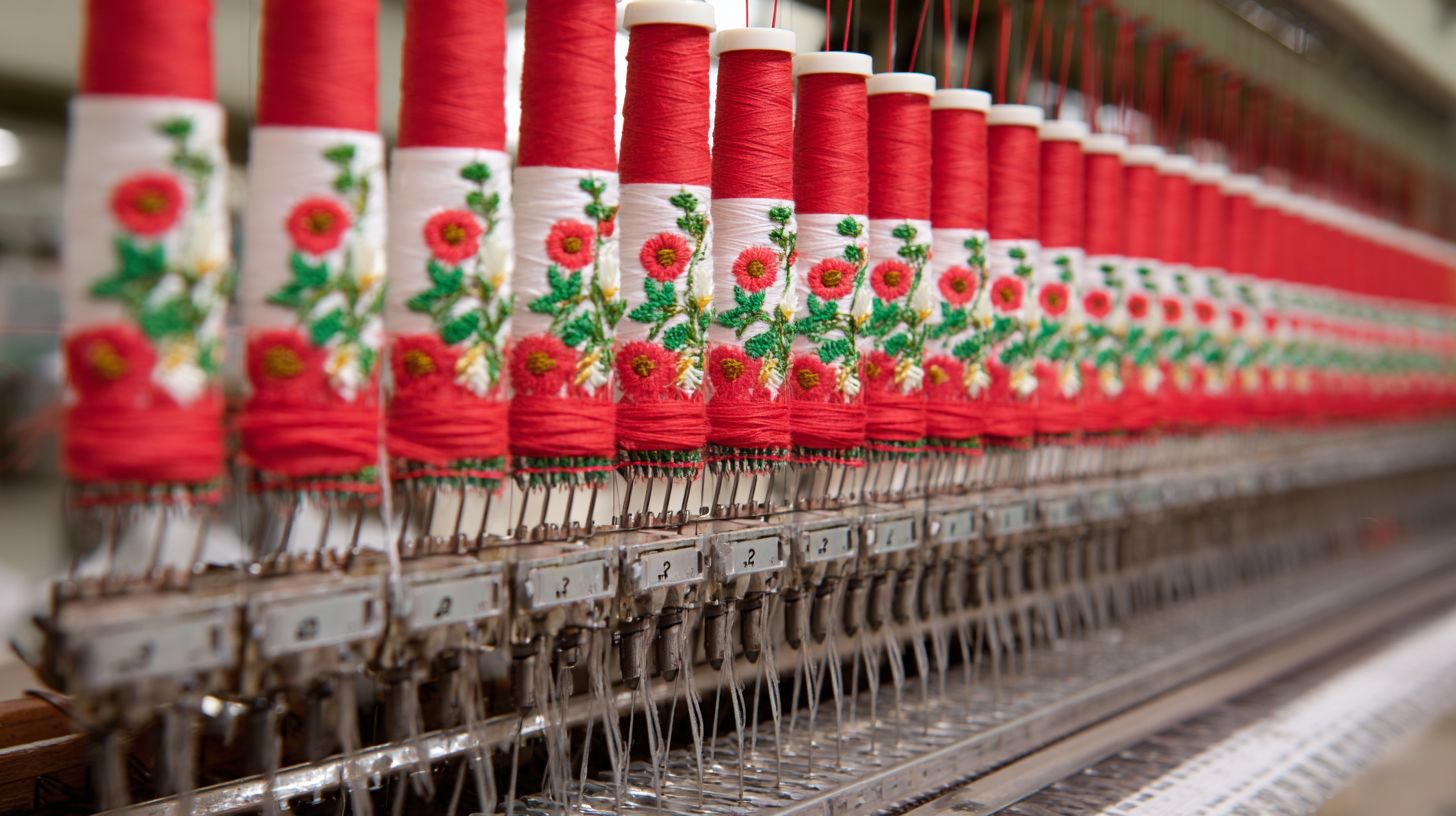
Wilcom Advanced Digitizing converts vector art to stitches in minutes with understitching for stable fabrics. This feature ensures designs hold up on various materials.
Paid tools reduce manual adjustments compared to free software like Ink/Stitch. Users spend less time placing nodes, speeding up the digitizing process.
For an Etsy seller, this means handling more custom orders efficiently. Create complex designs with fill stitching and satin columns that look polished every time for high-volume production.
Explore features like auto-digitizing wizards in Hatch or Wilcom for quick conversions. This boosts creativity without a steep learning curve for beginners.
Auto-Kerning and Resize Without Distortion
Embrilliance StitchArtist auto-kerns fonts for perfect spacing, resizing logos 200% without density loss. Text stays sharp on any scale with superior cost efficiency.
This saves time on lettering projects, such as custom shirts or hats. Adjust fonts effortlessly while maintaining stitch quality across fabrics.
Free alternatives often distort designs during resizing. Paid software like Embrilliance or My Editor prevents errors, ensuring professional output.
Test these in a trial to see compatibility with Bernina ArtLink 9 or Brother machines. Precise kerning enhances monograms and business logos with clean results.
Faster Production Speeds
Paid tools like Brother PE-Design cut production time with stitch previews and batch processing for Brother machines. Visualize designs before hooping to avoid mistakes.
Small business owners double output on projects like team uniforms using tools like Embrid. Process multiple files at once, from editing to final export.
Features like MaggieFrame magnetic hoop support and production library streamline workflows. Switch between Janome Digitizer, Husqvarna Viking 6D, or Sewart formats seamlessly.
Users appreciate the intuitive interface for quick previews and adjustments. This focus on speed supports higher volumes without sacrificing quality.
Cost Breakdown: What Does Paid Software Actually Cost?
Paid embroidery software like Embrilliance ranges $150-$1500 one-time, far below ongoing free tool frustrations for serious users. These costs cover professional features like Wilcom Advanced Digitizing, editing, and compatibility with machines from Brother, Janome, and Husqvarna.
Beginners often start with entry-level options around $150, while pros invest in $1000+ suites for production workflows. Free tools like Ink/Stitch lack auto-digitizing and support, leading to hours of manual fixes on designs, fonts, and lettering.
Subscriptions add flexibility with updates, but one-time buys suit hobbyists avoiding recurring fees. Users report smoother hooping previews, stitch simulations, and fabric adjustments save time over free alternatives like Sewart or My Editor.
Evaluate your needs: hobby sewing versus commercial output. Paid options integrate libraries, wizards, and magnetic hoop settings, boosting creativity without the steep learning curve of free patchwork solutions.
One-Time Purchase vs. Subscription Models
Embrilliance Essentials offers $169 one-time; Wilcom Hatch subscriptions start at $99/year with updates. This choice impacts your embroidery workflow, from creating designs to machine compatibility.
| Model | Tools | Cost | Best For |
|---|---|---|---|
| One-Time (Embrilliance StitchArtist) | Essentials: editing, fonts, lettering, conversion | $169 | Hobbyists, beginners |
| Subscription (Wilcom Hatch) | Auto-digitizing, stitching previews, library access | $99/year | Pros needing updates |
| Hybrid | Core buy + module subs (e.g., Embrilliance expansions) | $169 + optional | Growing users |
One-time models like Embrilliance Essentials suit simple Brother machine projects, offering lifetime access without renewals. Subscriptions provide ongoing features like new Bernina compatibility and interface tweaks.
Hybrid paths let you buy a core like Embrilliance, then subscribe for advanced modules. Test with trials to match your digitizing needs before committing.
Hidden Savings from Reduced Errors
Paid embroidery software cuts errors in stitching and hooping, saving time on rework for multiple projects. Tools like preview simulations prevent mismatched fabrics and designs, unlike free options’ guesswork.
Avoid hours fixing poor auto-digitizing from free tools; paid versions offer precise lettering and font conversions. Users find professional workflows reduce trial-and-error, especially on Husqvarna or Janome machines.
- Simulate stitches before embroidering to catch issues early.
- Access wizard-guided hooping for magnetic hoops and various fabrics.
- Build a reusable design library, skipping repetitive creation.
Over time, these efficiencies yield strong returns for frequent users. Focus on software with robust support to minimize the learning curve, turning initial costs into daily productivity gains.
Is the Learning Curve Worth It for Beginners?
Premium tools like Wilcom Hatch ease beginners with tutorials, steeper than free but yielding pro results in weeks. Embrilliance offers quick mastery in about one week for basic editing and lettering. In contrast, InkStitch demands months to handle complex digitizing and machine compatibility.
Beginners often find paid software’s structured onboarding reduces frustration. Free options like InkStitch lack guided paths, leading to trial-and-error with Brother or Janome machines. Paid tools build confidence fast through hands-on practice.
The learning curve pays off in professional designs and efficient workflows. Users report smoother stitching on various fabrics after initial setup. This intro leads into detailed step-by-step onboarding in premium software.
For hobbyists eyeing production, the time saved on auto-digitizing justifies the cost. Experts recommend starting with trials to test fit for your embroidery machines.
Step-by-Step Onboarding in Premium Tools
Start with Wilcom Hatch’s wizard: 1) Install (5 mins), 2) Load design, 3) Auto-digitize (settings: 0.4mm spacing). This quick process sets up your interface for embroidery success. Avoid skipping calibration for accurate stitch previews.
Follow these numbered steps for a smooth start in one hour total.
- Download and install the trial version of Hatch or Embrilliance (10 mins). Run the setup on your computer compatible with Bernina or Husqvarna machines.
- Take the interface tour via built-in tutorials. Explore tools for fonts, hooping, and magnetic hoops.
- Create your first stitch file using a simple Brother test design (15 mins). Adjust density and preview metrics before sending to the machine.
- Check preview metrics like stitch count and density. Test on scrap fabric to ensure clean results.
These steps build your digitizing skills without overwhelm. Paid software’s support and library speed up learning compared to free alternatives like My Editor or Sewart.
Once onboarded, experiment with lettering conversion and custom designs. This foundation unlocks creativity for beginners turning pro.
User Reviews: Real Experiences with Paid vs. Free
Etsy sellers report 4x sales growth switching from SewArt to Embrilliance, per Amazon and forum reviews. These users highlight how paid embroidery software boosts design quality and workflow speed over free options like Ink/Stitch.
Many hobbyists note free tools limit digitizing and font options, causing frustration with complex projects. Pros praise Embrilliance and Wilcom for professional features like auto-digitizing and machine compatibility with Brother and Janome.
Forums reveal common pros of paid software: better stitch previews, editing tools, and support. Free alternatives often lack these, leading users to upgrade for smoother embroidery production.
Real experiences show paid options suit serious creators, while free suits beginners testing waters. Detailed cases below illustrate shifts from free to paid tools.
Case Studies from Hobbyists and Pros
Hobbyist Jane used Wilcom Studio to launch her Etsy shop, hitting 100 orders per month from 10 with free tools. Previously, SewArt’s limits slowed her digitizing process for custom designs.
Switching to Wilcom’s lettering wizard cut her design time in half. She now creates personalized monograms with precise fonts and hooping guides, fitting various fabrics easily.
Jane’s lesson: always trial software first to match your workflow. Embrilliance offered a similar easy interface for her beginner needs, with strong preview tools.
For pros, a business owner integrated Wilcom with BAI machines, doubling production speed. This setup streamlined stitching on Husqvarna and Bernina, handling bulk orders without errors. Key takeaway: prioritize support and compatibility for high-volume work.
ROI Calculation: When Does Paid Software Pay for Itself?
Paid embroidery software pays back in 3-6 months via time savings on 20+ projects per year. Calculate ROI by dividing the software cost by savings per project. For example, a $500 investment at $50 saved per project reaches break-even after 10 projects.
A simple formula helps: Total Cost divided by Hourly Rate times Hours Saved per Project equals projects to ROI. Track time spent on digitizing logos or editing designs with free tools versus paid ones like Wilcom or Hatch. This shows quick returns for frequent users.
Beginners benefit from auto-digitizing features that cut manual work. Professionals save on production workflows, handling complex stitching for Brother or Janome machines. Factor in compatibility with hoops and fabrics to refine estimates.
Experts recommend testing a free trial to measure personal time gains. Compare interface ease and font libraries against free options like Ink/Stitch. Consistent use on hats, shirts, or towels accelerates payback.
Time Saved per Project Examples
Digitizing a logo takes 2 hours with free software but only 20 minutes using paid tools, saving $30 per project at a $15 hourly rate. This adds up fast for embroidery businesses. Paid options like Embrilliance offer precise lettering and preview tools.
For a shirt run of 50 items, manual setup requires 4 hours, but paid software reduces it to 1 hour. Save time on hooping guides and stitch conversion for Husqvarna or Bernina machines. This boosts productivity without errors.
- Complex design editing: Free tools like Ink/Stitch and Inkscape need 90 minutes of tweaks; Hatch cuts it to 15 minutes with wizard features.
- Custom fonts for monograms: 1 hour manual entry versus instant library access in Wilcom Embroidery Studio, saving $13.50 per job.
- Multi-fabric preview: 45 minutes testing stitches manually drops to 10 minutes with simulation in paid apps.
These examples highlight workflow gains for beginners and pros. Track your learning curve during trials to confirm savings. Support from software communities helps maximize creativity and output.
Best Paid Embroidery Software Options in 2024
Top 2024 picks include Wilcom Hatch for pros and Embrilliance Essentials for beginners, per user ratings on Amazon and Etsy. These tools offer advanced digitizing, editing, and compatibility with machines like Brother and Janome. Users praise their workflow efficiency for creating custom designs.
Paid software stands out with features like auto-digitizing and extensive font libraries. For example, convert a photo into a stitch-ready file quickly. This saves time compared to free options with limited previews.
Professionals value production tools for high-volume work, while beginners appreciate intuitive interfaces. Trial versions let you test stitching previews on fabrics. Consider your machine’s compatibility before buying.
Options range from embroidery wizards for quick lettering to full design suites. Support and updates add long-term value. Match the software to your skill level and creative needs.
Comparison of Top Tools for Different Needs
Wilcom Hatch excels in production; Embrilliance in easy editing for Brother users. This table compares five top paid tools by price, features, best use, and pros plus cons. It helps match software to your embroidery machines and goals.
| Tool | Price | Key Features | Best For | Pros/Cons |
|---|---|---|---|---|
| Wilcom Hatch | $1495 | Auto-digitizing, stitch previews, professional library | Production pros | Pros: Powerful digitizing, magnetic hooping tools. Cons: Steep learning curve. |
| Brother PE-Design | $830 | Hoops compatibility, lettering, design conversion | Brother machines | Pros: Seamless with Brother stitching. Cons: Limited to specific hardware. |
| Embrilliance | $169 | Fonts, easy editing, monogramming wizard | Beginners | Pros: Low learning curve, affordable. Cons: Fewer advanced production tools. |
| Janome Digitizer | $999 | Compatibility, fabric settings, interface previews | Janome users | Pros: Excellent machine compatibility. Cons: Higher cost for casual use. |
| Husqvarna Viking 6D | $500 | Creative library, Viking hoops, workflow tools | Husqvarna owners | Pros: Strong creativity features. Cons: Brand-specific support. |
Embrid offers the lowest entry cost with solid editing for novices. Use its font tools for custom names on towels. Pros often pair Wilcom Hatch with SewArt for complex auto-digitizing.
For Brother or Janome, check built-in hoops and stitch types. Trials reveal real interface feel before committing. Balance price against features like conversion from free formats.
How to Test Paid Software Before Buying
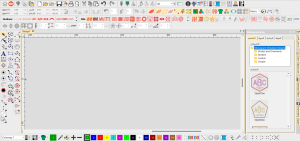
Most paid embroidery software options like Wilcom and Hatch offer 30-day trials. Use these to test with real designs for compatibility with your machines. This hands-on approach reveals if the features fit your workflow before committing to the cost.
Focus on key areas like Wilcom Advanced Digitizing, editing, and stitching previews. Import files from your library and check output on Brother or Janome formats such as.PES. Note how the interface handles lettering and auto-digitizing for beginners or production use.
Test hooping simulations and fabric settings to ensure smooth runs. Compare professional tools against free alternatives like Ink/Stitch. This evaluation highlights pros like advanced fonts against cons such as the learning curve.
Track time spent on tasks like conversion and previewing. Ignore minor updates during trials to focus on core embroidery performance. Users often find this method clarifies if paid software boosts creativity over free options.
Free Trials and Demo Projects Guide
Start by downloading the Wilcom Hatch trial, then import an SVG logo, and digitize it using the wizard. This quick process tests core digitizing features in minutes. It shows how the software handles simple designs for embroidery machines.
Follow these steps for a complete evaluation:
- Sign up and install the trial, which takes about 5 minutes across platforms.
- Create a demo project: Convert a logo to.PES for BAI Embroidery Machine or Brother machines in 20 minutes. Use settings like 5mm underlay for stability on fabrics.
- Test stitch the design on scrap fabric to check real-world results.
- Measure success: Aim for an error-free run. Total time is around 1 hour; ignore software updates to stay focused.
Examine stitching quality, such as thread breaks or density issues. Compare lettering and font libraries to free tools like My Editor or Sewart. This reveals if paid options excel in editing and compatibility with Husqvarna or Bernina ArtLink 9.
For advanced checks, try auto-digitizing complex graphics and preview hooping with magnetic hoops. Note ease of use for beginners versus pros. This guide ensures you assess support, pricing value, and workflow fit before purchase.
Common Myths About Paid Embroidery Software
Many hobbyists believe paid embroidery software is overkill for simple projects. This myth ignores how paid tools boost output and creativity for users at all levels. Free options work for basics, but paid versions unlock advanced digitizing and editing features that save time and reduce errors.
Experts recommend trying a software trial to see the difference in workflow and stitch preview. Paid software like Wilcom or Hatch offers better compatibility with machines from Brother, Janome, and Husqvarna using MaggieFrame. Hobbyists often find their production speed doubles with pro features.
Another misconception is that free tools match paid in quality. In reality, paid software provides professional lettering, auto-digitizing, and font libraries that free versions lack. This leads to smoother hooping and stitching on various fabrics.
“Free Is Always Enough” Debunked
Free like Ink/Stitch caps at 5000 stitches per design; paid handles unlimited for pro work. This limit frustrates users creating complex applique designs or large logos. Paid options like Embrilliance or Sewart support bigger files without glitches.
Free software often lacks reliable support, relying on community forums. Paid versions offer direct help from developers, speeding up your learning curve. Etsy pros report much faster workflow with tools like Hatch’s wizard for quick edits.
Auto-digitizing in free tools produces rough results needing heavy manual fixes. Paid software delivers cleaner stitch types and preview accuracy for magnetic hoops and multi-hooping. Beginners benefit from intuitive interfaces in Wilcom or Embrilliance StitchArtist.
Free options struggle with font conversion and machine compatibility for brands like Bernina. Paid tools include vast design libraries and lettering options, enhancing creativity. Users upgrade for these professional features that make embroidery production efficient.
Upgrade Path: From Free Tools to Professional Results
Migrate from SewArt to Embrilliance in 4 steps for seamless pro embroidery. This path turns basic free software into a professional workflow, saving time on digitizing and editing. Users often find paid options like Embrilliance or Hatch worth the cost for better compatibility with machines such as Janome or Brother.
Start by backing up your SewArt library of designs and fonts. Free tools like SewArt or Ink/Stitch handle simple auto-digitizing, but lack advanced lettering and stitch previews. Paid software adds hooping guides and fabric settings for precise results on hoops, including magnetic ones.
Next, trial the import process to convert fonts and test stitching on your machine. Embrilliance offers a smooth interface upgrade from SewArt’s basics, with tools for production and creativity. Expect a short learning curve but faster workflow overall.
Finally, re-digitize key designs and preview on Janome or Husqvarna. This upgrade path highlights why paid embroidery software suits beginners moving to pros, balancing cost with features like support and wizards.
Step-by-Step Migration Guide
1) Export free files as SVG (10 mins), 2) Import to Hatch trial. This guide eases the shift from SewArt or My Editor to paid tools like Embrilliance or Wilcom. Focus on avoiding format mismatches for smooth embroidery designs.
- Backup your free library. Save all SewArt designs, fonts, and patterns to a folder. This takes under 10 minutes and prevents data loss during migration.
- Trial import and convert fonts. Download the Embrilliance Essentials or Wilcom Hatch trial, then import SVG files. Test lettering conversion with sample text to check stitch quality.
- Re-digitize 5 designs. Match your old workflow using new digitizing tools. Compare auto-digitizing in free vs. paid for better edge stitching on fabrics.
- Test on your machine. Preview and stitch on Janome Digitizer, Brother PE-Design, Bernina ArtLink 9, or Husqvarna Viking 6D. Adjust hooping and preview settings to confirm compatibility.
The full process takes about 2 hours. Paid software like Wilcom Embroidery Studio shines in editing and production, making it worth it for frequent users. Free tools like Ink/Stitch and Inkscape suit beginners, but pros need advanced features like wizards for complex designs.
Professional Recommendation for Superior Embroidery
Upgrade to Needlic’s professional embroidery software for superior digitizing, faster results, and machine compatibility beyond free tools. Professionals often find that paid options like Needlic match the power of Wilcom Advanced Digitizing and Embrilliance StitchArtist while offering a smoother workflow. This upgrade transforms basic designs into production-ready embroidery.
Needlic stands out with its advanced auto-digitizing and editing features, allowing users to create complex lettering and stitch patterns quickly. Unlike free software such as Inkscape or My Editor, it handles hooping guides and fabric previews with precision. Pros appreciate the library of fonts and wizard tools for efficient production.
For machines from Brother, Janome, Husqvarna, or Bernina, Needlic ensures full compatibility and seamless file conversion. Its intuitive interface reduces the learning curve compared to Hatch or Sewart. Support teams provide quick help, making it ideal for serious users.
While free tools suit beginners, paid software like Needlic boosts creativity and speed for pros. Test its trial, available on Amazon or Etsy, to see improvements in stitching quality on various fabrics with tools like MaggieFrame or SEWTECH. Make the switch for embroidery that meets professional standards.
Explore more with BAI Embroidery Machine compatibility.
🚀 Upgrade Your Embroidery Workflow
Stop wasting time with low-quality tools. Use professional software for faster and better results.