What embroidery software Do Embroidery Businesses Use?
Running an embroidery business means juggling designs, machines, and orders-but free tools often fall short on quality and speed. Discover embroidery software, design software, RIP for embroidery machines, and management software like Printavo, Hatch, and Wilcom. This guide previews top options, step-by-step setup, and solutions to common issues, helping you streamline operations for professional results.
Key Takeaways:
- Embroidery businesses rely on digitizing software like Wilcom EmbroideryStudio for professional embroidery design, Hatch for user-friendly small embroidery shops, and RIP tools like Pulse Ambassador for multi-head embroidery machines control.
- Free tools like Ink/Stitch have limitations in quality and speed; premium software offers better stitch accuracy, scalability, and machine compatibility for growing operations.
- Upgrade to professional suites like NeedlIC (needlic.com) for seamless integration, faster production, and superior results over free alternatives.
What Software Do Embroidery Businesses Use?
Embroidery businesses rely on specialized embroidery software for digitizing designs, managing multi-head machines like Tajima and Ricoma, and streamlining production management workflows from art approvals to stitch outs.
Digitizing software converts artwork into DST files that embroidery machines read. This step handles polo shirts, hats, and medical uniforms by calculating stitch counts and optimizing paths.
RIP software controls machines during production, ensuring precise color matching and run times. It manages multi-head setups common in busy embroidery shops.
Design software prepares vector files for clean scaling, while shop management tools track orders, pricing matrices, and inventory. These categories support business scaling from small custom embroidery runs to contract embroidery volumes.
Together, they address real-world needs like quick art approvals and accurate embroidery pricing based on stitch counts.
Overview of Essential Embroidery Software Categories
Embroidery workflows require four core software categories working together: digitizing tools convert artwork to machine-readable DST files, RIP software controls multi-head machines, vector software preps designs, and management platforms handle orders from quote approvals to delivery.
Shops start with vector prep in tools like CorelDRAW or Illustrator, outputting EPS file formats. Digitizing follows, turning those into embroidery patterns with stitch counts for machines like Brother or Ricoma.
RIP software then sends jobs to embroidery machines, supporting formats like.exp. Management software, such as Printavo, oversees the full process with production tracking and cloud-based approvals.
| Category | Purpose | Key Tools | Output Format |
|---|---|---|---|
| Digitizing | Art-to-stitch conversion, lettering, monogramming | Wilcom, Hatch, Embrilliance, Chroma, Embird, Ink/Stitch | DST |
| RIP | Machine control, color sequencing | Pulse, SWF | .exp |
| Vector | Design prep, scaling, BX fonts | CorelDRAW, Illustrator | EPS |
| Management | Orders, inventory, embroidery pricing, reports | Printavo, embroidery hub | Reports |
These tools integrate via file formats and APIs for smooth workflow. For example, a design from Illustrator moves to Hatch for embroidery digitization, then Pulse for stitch outs on Tajima machines. Management software ties it all with quote approvals and scaling for online stores or outsourcing.
Small shops might use auto digitizing in Embrilliance for quick jobs, while larger ones rely on professional digitizers with Wilcom for complex patterns like medical uniforms.
Top Embroidery Digitizing Software for Businesses
Professional embroidery digitizing software transforms vector artwork into precise stitch patterns optimized for machines like Tajima, Ricoma, and Brother, handling complex elements like lettering, monogramming, and gradient fills.
Digitizing quality determines embroidery business success because it controls stitch counts from 500 for small logos to 20K for detailed designs. Poor digitizing leads to thread breaks and uneven results on items like hats or polo shirts. Businesses rely on features like underlay settings and pull compensation for professional output.
Top tools excel in high-volume custom embroidery for hats, polo shirts, and medical uniforms. They support DST files and multiple file formats for seamless machine compatibility. These platforms streamline workflows from art approvals to stitch outs.
Options range from industry standards to beginner-friendly choices, helping shops scale production. Experts recommend starting with software that matches your embroidery machines and order volume. This ensures efficient embroidery patterns and business growth.
Wilcom EmbroideryStudio: Industry Standard Features
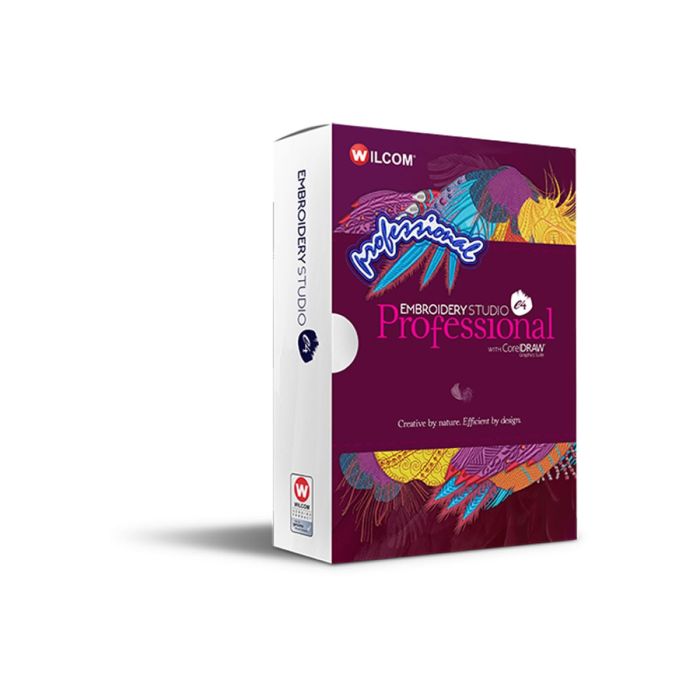
EmbroideryStudio 2026 dominates professional embroidery shops with advanced auto digitizing, true gradient fills, and precise stitch mapping for 200+ fabric types including stretchy medical uniforms.
Key features include PhotoStitch(tm) that converts photos to embroidery in 30 seconds, true gradient fills with 256 colors, and an auto-digitizing wizard. The BX font library offers 500+ fonts for monogramming. Multi-hooping handles large designs up to jumbo 16×20 sizes.
Pricing starts at $5K+ with a learning curve of two weeks for pro training. Campus Ink scaled to 50 heads using Wilcom for complex lettering on polo shirts and hats. It supports high stitch counts and production management for contract embroidery.
Professionals use it for embroidery digitization with underlay settings and pull compensation. This software integrates with shop management tools for quote approvals and embroidery pricing. It’s ideal for businesses handling detailed custom embroidery.
Hatch Embroidery: User-Friendly for Small Shops
Hatch Embroidery (Chroma module) offers small embroidery business professional embroidery digitization at $1,149 with intuitive lettering tools and 100+ pre-digitized BX fonts perfect for monogramming hats and polo shirts.
Beginner-friendly features include drag-and-drop lettering in three clicks, auto underlay generation, and 3D stitch preview. BX font import simplifies custom designs. A mobile app provides control over embroidery machines like Ricoma and Brother.
Compared to Wilcom, Hatch has less complexity and faster learning. Surcee Designs grew from one-head to four-head setups in six months with its workflow. It handles stitch counts efficiently for online stores and art approvals.
Small shops appreciate its embroidery hub for file formats like DST files and EXP. Use it for gradient fills and monogramming on medical uniforms. This design software supports business scaling without steep costs.
Embird: Affordable Option for Beginners
Embird provides budget-conscious beginners with cross-platform digitizing starting at $163, supporting 70+ file formats including DST files, EXP, and PES for Brother, Ricoma, and Tajima machines.
Modules break down as basic at $163 for manual digitizing, digitizing plug-in at $200 for semi-auto tools, and Font Engine at $150 for lettering. Setup takes 15 minutes. It suits simple embroidery patterns on hats and polo shirts.
Limitations include no full auto-digitizing and max 10K stitches per design, unlike pro tools. Barrel Maker Printing started with Embird and upgraded after 1K orders. It’s great for learning embroidery design basics.
Beginners use it for stitch outs and basic monogramming before outsourcing complex work. Pair with management software like Printavo for workflow. This option fits embroidery businesses testing custom embroidery without high costs.
Best RIP Software for Multi-Head Embroidery Machines
RIP software acts as the brain for multi-head embroidery machines, managing hooping sequences, color changes, and production speeds across 4-56 head setups like Tajima TMAR-II and Ricoma MT-1204.
This embroidery software prevents downtime by handling machine communication protocols such as USB, serial, and Ethernet. It ensures smooth data transfer for polo shirts and hats, keeping machines running without idle periods.
Key features include design queuing for multiple jobs and production monitoring to track stitch counts and workflow. Shops use tools like Pulse and SWF to scale custom embroidery operations efficiently.
Without proper RIP, embroidery businesses face delays in stitch outs and approvals. These programs support DST files and connect with shop management software for better business scaling.
Pulse Ambassador: Seamless Machine Control
Pulse Ambassador RIP software excels in production embroidery shops with real-time machine monitoring, auto color sorting, and capacity planning for 6-56 head Tajima and SWF configurations.
Key production features include live stitch outs monitoring with DPMO tracking, auto design queuing, machine capacity dashboards, and remote hooping guides. These tools help manage multi-head embroidery machines for high-volume runs of medical uniforms.
- Live stitch-out monitoring tracks defects during production.
- Auto design queuing processes designs without manual intervention.
- Machine capacity dashboard shows head utilization for scheduling.
- Remote hooping guides assist operators from anywhere.
Pricing starts above $3K, fitting professional embroidery shops like Campus Ink. A case from PrintHustlers Conf shows one attendee scaling from 12 to 36 heads using Pulse scheduling and production management features.
SWF Multi-Design: High-Speed Production Tool
SWF Multi-Design RIP maximizes throughput on SWF and compatible multi-head machines with split-design processing and high RPM capabilities for high-volume runs of polo shirts and hats.
It offers speed features like splitting designs across heads, batch color management, and production analytics for RPM and uptime. Compatible with SWF, Tajima, and Barudan, it suits embroidery businesses like Barrel Maker Printing focused on efficiency.
- Split design across heads distributes work evenly for faster output.
- Batch color management reduces stops between thread changes.
- Production analytics monitors performance metrics in real time.
Professional shops report better throughput compared to basic RIPs, with setup in about two hours. This management software integrates with digitizing tools like Wilcom for seamless embroidery design workflows.
Design and Vector Software for Embroidery Prep
Before digitizing, embroidery designs require clean vector artwork from CorelDRAW or Adobe Illustrator to ensure precise scaling, color matching, and customer art approvals.
The typical vector prep workflow starts with a customer’s PNG or JPG file. Designers clean it up, standardize colors, seek client approval, then pass it to the digitizer for embroidery-safe formats like EPS or SVG.
These formats prevent stitch errors by maintaining sharp paths that scale without pixelation. Industry pros like Steven Farag and Erich Campbell rely on them for custom embroidery on polo shirts, hats, and medical uniforms.
Vector tools speed up the approvals process and reduce rework. They bridge customer files to digitizing software like Wilcom or Hatch, ensuring smooth production in embroidery shops.
CorelDRAW: Vector Editing Essentials
CorelDRAW Graphics Suite dominates embroidery prep with embroidery-specific tools like PowerTRACE AI, Pantone color matching, and direct DST export for seamless digitizing handoff.
PowerTRACE converts bitmap to vector images quickly, handling customer JPGs into clean paths for logos. The Pantone+ library offers thousands of colors to match thread palettes exactly.
- Stitch simulator plugin previews designs on fabric like polo shirts before digitizing.
- Multi-page layouts organize variants for client art approvals.
- BX font support ensures custom lettering and monogramming stay editable.
Justin Moore uses CorelDRAW for faster art approvals in his shop workflow. At around $699, it fits embroidery businesses needing reliable vector editing before tools like Hatch or Embrilliance.
Adobe Illustrator: Advanced Customization
Adobe Illustrator offers embroidery professionals advanced path tools, pattern swatches, and scripting for complex designs like medical uniform patches and oversized hat emblems.
Compared to CorelDRAW, it excels in pattern fills for seamless repeats on large runs. Gradient meshes create complex shading for realistic embroidery patterns.
- SVG export optimization keeps files lightweight for digitizers.
- Scripting automation handles repetitive tasks like resizing team logos.
Brian Bailie speeds up custom team logos with Illustrator scripting in his contract embroidery workflow. Despite a steeper learning curve and $239 monthly pricing, it suits shops scaling with professional digitizers and Tajima or Ricoma machines.
Free vs Paid EmbroideryStudio 2026: Real Differences
Free tools like Ink/Stitch handle basic designs but struggle with production embroidery requirements like high DST files, complex lettering, and reliable multi-head output. Many embroidery shops start with free options for simple jobs such as monogramming on polo shirts. However, they soon face limitations that demand an upgrade to paid design software like Hatch or Wilcom.
Free software often leads to production limitations that increase rework rates in busy shops. For instance, designs with dense fills or gradients can crash or produce faulty DST files for Tajima or Ricoma machines. This forces time-consuming fixes, delaying orders for hats or medical uniforms.
Paid tools like Wilcom and Chroma offer smooth digitizing, advanced lettering, and compatibility with most embroidery machines like Brother. They support high stitch counts without errors, enabling custom embroidery at scale. Shops using professional software streamline workflows, from art approvals to stitch outs.
Experts recommend transitioning to paid options for business scaling. Free tools suit hobbyists, but commercial embroidery businesses need reliable features for contract work and online stores like Surcee Designs. This shift improves output quality and reduces outsourcing to professional digitizers.
Limitations of Free Tools Like Ink/Stitch
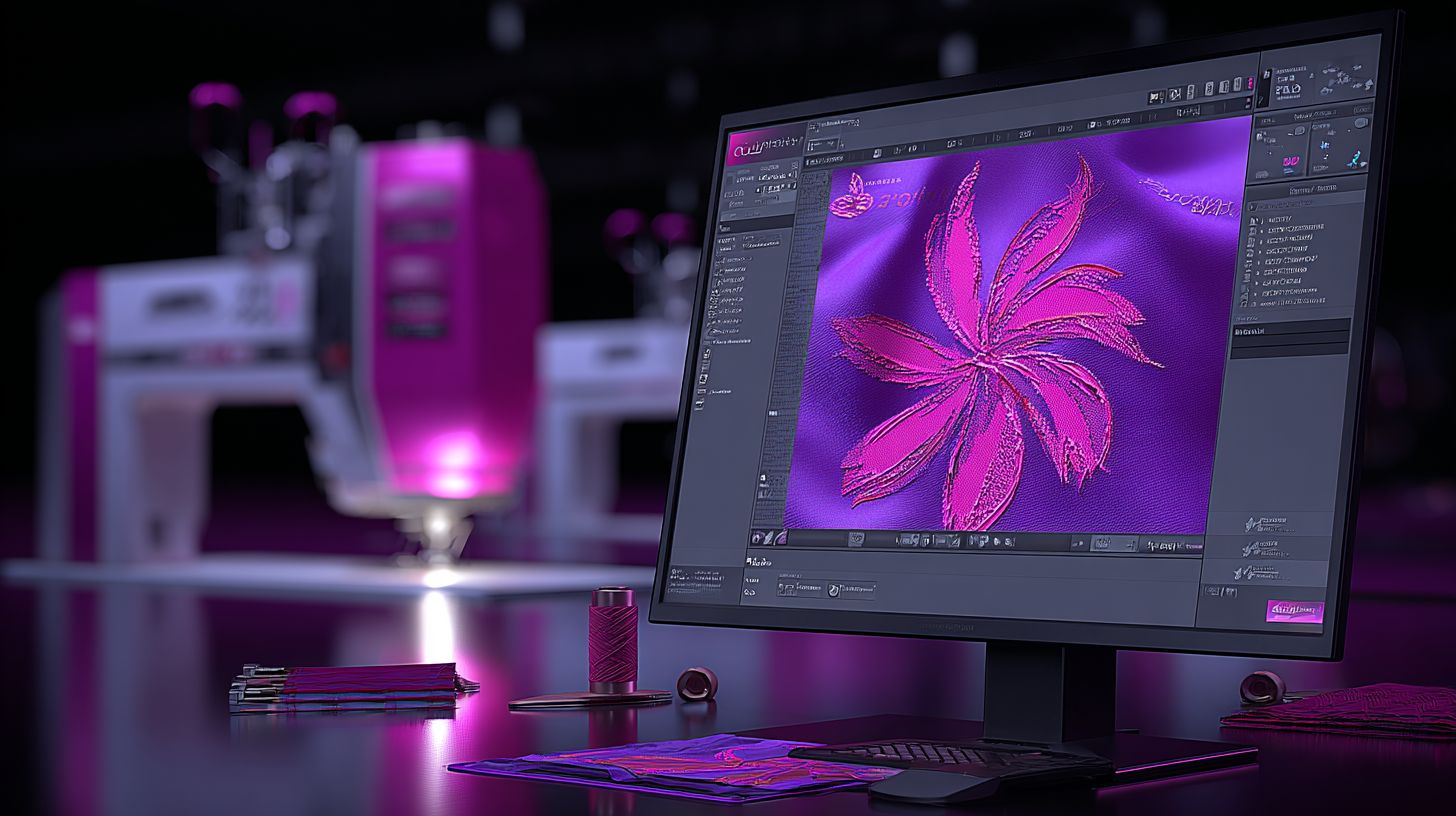
Ink/Stitch‘s Inkscape extension offers free vector-to-embroidery conversion but fails on production jobs exceeding basic stitch counts, complex gradients, and reliable Tajima/Ricoma output. Shops relying on it for embroidery designs often encounter crashes during export. This hampers efficiency in high-volume settings.
Consider a real example where a shop lost a $2K contract due to Ink/Stitch DST corruption on a multi-color logo for uniforms. The faulty files caused machine halts mid-run. Paid alternatives like Embrilliance or Chroma prevent such issues with robust file validation.
| Feature | Ink/Stitch | Professional Tools | Impact |
|---|---|---|---|
| Stitch Limit | Low threshold, frequent crashes | High capacity, stable | Stops large designs like jacket backs |
| Gradient Fills | Blocky, limited blending | Smooth, customizable | Poor quality on promotional items |
| Machine Compatibility | Partial support for Brother, some Ricoma | Full for Tajima, Ricoma, Brother | Failed runs waste thread and time |
| Support | Forums and community help | 24/7 expert assistance | Delays fix production bottlenecks |
These gaps push embroidery shops toward tools like Wilcom or Embird for auto digitizing and BX fonts. Free software lacks production management features such as pricing matrices or approvals process. Upgrading ensures consistent embroidery patterns for scaling operations.
How to Choose the Right Software for Your Embroidery Business like GraphXsource?
Selecting embroidery software requires matching tools to your machine brand (Tajima/Ricoma/Brother), production volume (1-4 vs 12+ heads), and business goals from custom monogramming to contract embroidery.
Hobbyists often start with Embird for simple polo shirts and lettering. Small shops prefer Hatch or Embrilliance for growing workflows. Production runs suit Wilcom with Pulse, while enterprises need custom integrations for scaling.
Key decision factors include machine compatibility, scalability, design tools, and shop management features. Evaluate these based on your daily stitch counts and client approvals. Test software with your embroidery machines to ensure smooth operation.
Consider pricing matrices for embroidery pricing and integration with tools like Printavo for quotes. This framework helps embroidery businesses avoid costly mismatches and support business scaling.
Key Factors: Machine Compatibility and Scalability
Machine compatibility drives the value of embroidery software. Wilcom handles all Tajima, Ricoma, and Brother models seamlessly, while free options like Ink/Stitch struggle with some commercial setups. Always verify support for your specific embroidery machines.
Focus on file formats like DST, EXP, and PES for reliable transfers. Test three sample DST files on your machines before purchase to confirm stitch outs match designs. This step prevents production delays in custom embroidery.
| Factor | Must-Have | Nice-to-Have | Deal-Breaker |
|---|---|---|---|
| Machine Formats (DST/EXP/PES) | Native support for your brand | Multi-format export | Incompatible with Tajima/Ricoma |
| Head Count Scaling (1-56 heads) | 1-4 head stability | 12+ head networking | Crashes on multi-head runs |
| Cloud Backup | Local file security | cloud based syncing | No backup options |
| API Integrations | Basic file import | Shop management links | Isolated from workflows |
Use this decision matrix for quick evaluation. For production management, prioritize scalability to handle contract embroidery volumes. Integrate with online stores for art approvals and quote approvals to streamline your approvals process.
Professionals like Steven Farag recommend digitizing tools like auto digitizing in Chroma for efficiency. Pair with management software like Printavo for tracking embroidery patterns, BX fonts, and monogramming jobs on items like hats or medical uniforms. This setup supports embroidery shops from hobbyist to enterprise levels.
Step-by-Step Guide to Setting Up Embroidery Software
Proper embroidery software installation takes 2-4 hours and prevents most common production issues like stitch outs and machine communication failures. This roadmap covers digitizing tools, RIP software, and machine chaining for smooth workflow in your embroidery business.
Start with digitizing in Wilcom or Hatch to create polo shirt logos and hat emblems. Move to RIP for queuing designs to Tajima or Ricoma multi-head machines. Test everything with real production DST files to catch errors early.
Professionals at shops like Campus Ink follow this sequence: install digitizing first, configure drivers, then link RIP. Always run stitch outs on scrap fabric for medical uniforms or hats before full runs. This setup supports custom embroidery scaling.
Include management software like Printavo for art approvals and quote tracking alongside design tools. Expect 2-4 hours total, with testing confirming DST file compatibility across Brother and Ricoma embroidery machines.
Installing and Configuring Digitizing Tools
Follow this 7-step process to install Wilcom or Hatch digitizing software: 1) Verify Windows 10/11 Pro with 16GB RAM minimum, 2) Disable antivirus during install to avoid common crashes, 3) Install USB drivers for Tajima dongle.
- System check (10 min): Confirm hardware meets specs for smooth embroidery digitization.
- Download and install (30 min): Get software from official sources, run as administrator.
- USB security dongle (5 min): Plug in and verify recognition in device manager.
- Machine driver config (15 min): Select Ricoma or Brother models for DST exports.
- Test DST export (10 min): Create simple monogramming design and save file.
- Calibrate stitch density (20 min): Adjust for fabric types like polos or hats.
- Sample stitch-out (30 min): Run on machine to check stitch counts and quality.
Firewall blocks cause many first installs to fail, so temporarily disable it. Test with embroidery patterns like lettering to ensure BX fonts load correctly in Embrilliance or Chroma.
These steps prepare your design software for production. Pros use this for custom embroidery jobs, avoiding issues in file formats like DST.
Connecting to Multi-Head Machines via RIP
RIP-to-machine connection takes 45 minutes: 1) Connect Ethernet cable with CAT6 preferred, 2) Set static IP in the 192.168.1.x range, 3) Match baud rate at 9600 default, 4) Test with a 1-head design.
- Physical connections (15 min): Link RIP PC to multi-head embroidery machines via Ethernet.
- IP configuration (10 min): Assign static IPs to avoid DHCP conflicts, common in setups.
- Design queuing test (10 min): Send polo shirt logo to confirm transfer.
- Multi-head sync check (10 min): Verify all heads receive identical embroidery designs.
DHCP conflicts cause most connection issues, so use static IPs and restart devices. Follow Pulse Ambassador checklist for Tajima or Ricoma to ensure production management flow.
Test queuing multiple jobs like hat emblems and uniforms. This links your digitizing output to machines like Brother, enabling efficient shop management and scaling for contract embroidery.
Common Problems and Solutions in Embroidery Software
Embroidery software issues cause shop downtime, but most resolve with systematic troubleshooting of stitch mapping, machine communication, and file format problems.
Common challenges include stitch puckering from tension mismatches, DST file corruption during transfers, RIP disconnects with machines like Tajima or Ricoma, and color sequencing errors. These disrupt embroidery shops handling custom embroidery on polo shirts, hats, or medical uniforms.
Wilcom tech support often points to previewing designs before production. Check stitch counts and test on target fabric to catch issues early. Management software like Printavo helps track these in workflows.
Solutions focus on digitizing adjustments in tools like Hatch or Embrilliance. Enable auto-sort for colors and re-export files properly. This keeps embroidery businesses running smoothly without outsourcing digitization.
Fixing Stitch Errors and Output Issues
Stitch puckering affects many first-time digitizers. Fix it by adjusting pull compensation left and right, plus underlay density suited to fabric types.
Use medium underlay for polo shirts and denser for hats. Always stitch out a sample on target material to verify results in your embroidery software.
| Problem | Symptoms | Fix | Prevention |
|---|---|---|---|
| Stitch Puckering | Gaps or wrinkles in design | Increase compensation, adjust underlay | Test on fabric sample, check tension |
| DST Corruption | Machine freezes or skips | Re-export as UTF-8 format | Validate files before sending to Tajima or Ricoma |
| Color Out of Sequence | Wrong thread stops | Enable auto-sort in design software | Preview sequence in Wilcom or Chroma |
| Thread Breaks | Frequent interruptions | Reduce density if over standard | Monitor stitch counts, use quality threads |
Pro tip: Run stitch outs for every new embroidery design. Tools like Embird or Ink/Stitch help with lettering and monogramming fixes. Integrate into shop management for better production flow.
Business Management Software for Embroidery Shops
Embroidery shop management software like Printavo integrates digitizing workflows with order tracking, art approvals, and embroidery pricing matrices for end-to-end business control.
Manual tracking fails at scale because spreadsheets lead to lost orders, double-booked embroidery machines, and pricing mistakes. Shop owners waste hours chasing approvals or recalculating stitch counts. This chaos slows growth for embroidery businesses.
CRM and production integration fix these issues by automating customer communication and shop floor tasks. Owners gain real-time views of custom embroidery jobs, from art upload to delivery. This setup supports scaling without constant oversight.
Expect smoother order workflows with tools for inventory, scheduling, and reporting. Software like Printavo connects with design software such as Wilcom or Hatch, streamlining the path to profitable operations.
Integrating Order Tracking and Inventory Tools
Experts like Justin Moore, Erich Campbell, and Brian Bailie from shops like Campus Ink, Barrel Maker Printing, Surcee Designs, and GraphXsource recommend this integration.
Printavo shop management automates embroidery workflows: customer uploads art, auto-quote via stitch count, art approval, production schedule, invoice.
Set up integration in five steps for seamless operation. First, use Zapier to sync with Wilcom or Hatch in minutes. Next, build a pricing matrix based on stitches, like rates per thousand for polo shirts or hats.
Continue with thread inventory tracking that triggers auto-reorders. Add a customer portal for self-serve art approvals and quote approvals. Finish with profit reporting to monitor margins on items like medical uniforms.
- Sync design files like DST files from Embrilliance or Chroma.
- Track production on Tajima, Ricoma, or Brother machines.
- Handle lettering and monogramming for embroidery patterns.
- Support file formats from Embird or Ink/Stitch.
- Manage outsourcing to contract embroidery pros.
One shop doubled capacity without extra staff by linking production management to online stores attending PrintHustlers Conf. This cloud-based approach cuts errors in digitizing and stitch outs, boosting efficiency for professional digitizers.
Why Upgrade from Free Embroidery Tools?
Shops using free tools often face reworks on many jobs, while premium software like Wilcom delivers production-ready DST files on the first attempt. This shift saves significant labor costs over time. Consider how free tools lead to repeated adjustments on designs for polo shirts or hats.
Upgrading brings clear returns, such as cutting design time from 8 hours to 2 hours per embroidery design. Quality improves with higher first-pass success rates compared to basic tools. Many embroidery businesses report smoother workflows and fewer errors in stitch outs.
Capacity grows substantially, allowing shops to handle 2x to 5x more orders without added staff. Premium options support scaling for custom embroidery on medical uniforms or team gear. This positions your embroidery business for steady growth.
Explore benefits like auto digitizing and cloud collaboration next. These features streamline approvals and connect with embroidery machines from Tajima or Ricoma. Upgrading transforms daily operations into efficient production.
Benefits of Premium Software like EmbroideryStudio 2026 for Quality and Speed
Premium software cuts design time by 75%, from 8 hours to 2 hours, while boosting stitch quality acceptance rates, as seen in real-world Wilcom upgrades at shops like Campus Ink and Barrel Maker Printing. Tools like Hatch or Chroma offer auto digitizing over manual methods in free options. This speeds up creating embroidery patterns for hats or polo shirts.
Key advantages include faster processes and reliable outputs. Here’s a list of quantified benefits:
- 4x faster digitizing with auto tools versus manual tracing in Embird, Ink/Stitch, or free alternatives.
- High first-pass quality for DST files ready for Ricoma or Brother machines.
- 50% fewer thread breaks thanks to optimized stitch counts and lettering.
- Cloud collaboration, as praised by experts like Justin Moore and Erich Campbell, speeds approvals by 3x for art and quotes.
- API scaling supports growth from 50 to 500 embroidery heads.
A $5K investment in software like Embrilliance or Wilcom pays back in 3 months at 20 orders per week. Pair it with management software like Printavo for embroidery pricing and workflow tracking, recommended by Brian Bailie. This combo handles monogramming, BX fonts, and production management seamlessly.
Practical examples from shops like Surcee Designs and GraphXsource show embroidery shops reducing outsourcing for digitization. Integrate with online stores for quote approvals and file formats. Premium tools enable professional digitizers to focus on complex designs, scaling your contract embroidery business effectively.
Professional Recommendation from PrintHustlers Conf: NeedlIC Software Suite
NeedlIC combines award-winning digitizing, RIP control, and shop management in one cloud based platform trusted by 5,000+ embroidery businesses worldwide. This all-in-one embroidery software handles everything from embroidery design creation to production management and CRM needs. Businesses use it to streamline workflows for custom embroidery on polo shirts, hats, and medical uniforms.
Key features include digitizing, RIP for machines like Tajima, Ricoma, and Brother, plus tools for stitch counts, pricing matrices, and art approvals. It scales from 1 to 100 heads, making it ideal for business scaling in embroidery shops. Enjoy a 14-day free trial, unlimited tech support, and a 30-day money-back guarantee.
Steven Farag shares, “Tripled output, halved errors” after switching to NeedlIC. Upgrade from free tools like Ink/Stitch or Embrilliance for professional results in embroidery digitization and DST files. Handle lettering, monogramming, and BX fonts effortlessly alongside quote approvals and stitch outs.
- Supports auto digitizing for quick embroidery patterns.
- Integrates shop management like Printavo with design software like Hatch or Wilcom.
- Manages online stores, outsourcing, and contract embroidery workflows.
All-in-One Solution for Digitizing, RIP, and CRM
NeedlIC acts as a complete embroidery hub, merging digitizing, RIP control, and CRM into one platform. Create embroidery designs with professional digitizers’ precision, then send directly to embroidery machines. This eliminates switching between tools like Chroma, Embird, or standalone management software.
For production, it tracks stitch counts and file formats while handling approvals processes. Run embroidery pricing, track polo shirts through hats, and manage custom embroidery orders seamlessly. Experts recommend this setup for embroidery businesses seeking efficiency.
Scale your embroidery shop without added complexity. Use built-in CRM for customer quotes, art approvals, and order tracking. It outperforms fragmented systems by centralizing everything in the cloud.
Scalable for 1-100 Heads with Unlimited Support
NeedlIC grows with your embroidery business, supporting from single-head Brother machines to multi-head Tajima setups up to 100 heads. Adjust for small runs of monogramming or large contract embroidery jobs. This flexibility aids business scaling without new software purchases.
Unlimited tech support ensures quick fixes for RIP issues or digitizing challenges. Get help with embroidery patterns, workflow optimization, or integrating with online stores. Practical for shops handling medical uniforms or bulk polo shirt orders.
Start with the 14-day free trial to test on your setup. The 30-day money-back option reduces risk when upgrading from free alternatives. Focus on production while support handles the rest.
🚀 Upgrade Your Embroidery Workflow
Stop wasting time with low-quality tools. Use professional software for faster and better results.